
Making an HTTP request in Flutter is easy. Building an API integration that remains reliable after thousands of real user sessions is a different problem.
Production apps must handle expired sessions, weak networks, duplicate submissions, changing response formats, slow endpoints, partial data, and backend outages. If those cases are handled independently inside each screen, the codebase becomes inconsistent and difficult to debug.
Across Flutter applications involving booking, live tracking, payments, notifications, Firebase, and REST APIs, I have found that the most important decision is not which networking package to install. It is where networking responsibilities live and how failures move through the application.
This guide presents a practical structure for production-ready Flutter API integration, including architecture, authentication, serialization, retries, caching, security, testing, and observability.
## Why basic API examples do not scale
A tutorial often places an HTTP call directly in a screen, decodes a JSON map, and renders the result with `FutureBuilder`. That can demonstrate the mechanics of a request, but it leaves important production questions unanswered:
– Who adds authentication and shared headers?
– What happens when the access token expires during several requests?
– Which failures should be retried?
– How do we prevent the same payment or booking from being submitted twice?
– Where is cached data stored and invalidated?
– How does the UI distinguish offline, unauthorized, validation, and server failures?
– How are requests tested without calling the real backend?
– What information is safe to record in logs?
The official [Flutter networking cookbook](https://docs.flutter.dev/cookbook/networking) explains individual operations such as fetching, sending, updating, and authenticating requests. A production codebase needs an application-level design around those operations.
## Use a predictable request path
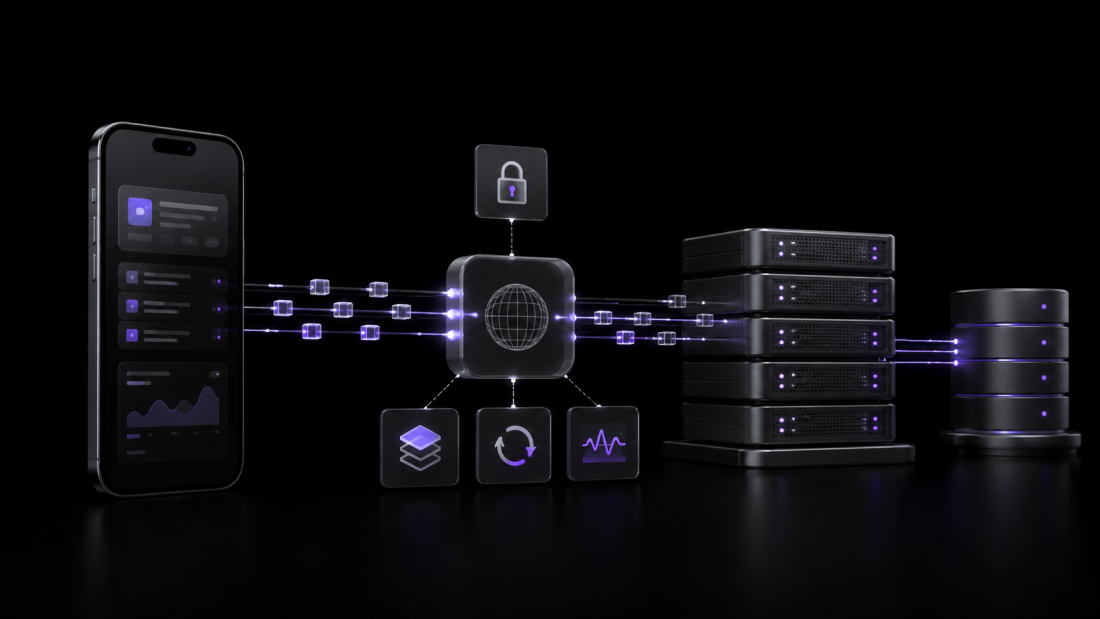
A maintainable integration normally follows a path similar to this:
“`text
View
→ ViewModel / Notifier / BLoC
→ Repository
→ API Service
→ HTTP Client
→ Backend API
“`
The response travels back through the same boundaries:
“`text
HTTP response
→ DTO or transport model
→ application model
→ result or failure
→ explicit UI state
“`
Each boundary has a separate job:
– **The HTTP client** manages transport-level configuration.
– **The API service** describes backend operations and converts responses.
– **The repository** decides how the application obtains and updates data.
– **The state layer** converts application results into UI states.
– **The view** renders those states and forwards user intent.
This is consistent with the separation described in my guide to [production Flutter app architecture](https://sufiyanrazaq.com/production-flutter-app-architecture/). The structure is useful because screens do not need to understand status codes, token refresh, JSON parsing, or caching.
## Separate the HTTP client, service, and repository
These three components are related, but they should not become one large “API manager.”
### HTTP client: shared transport behavior
The client or client wrapper is responsible for concerns shared across endpoints:
– base URL and environment selection;
– default headers;
– connection and receive timeouts;
– access-token attachment;
– safe token refresh coordination;
– request identifiers;
– transport-level logging and redaction; and
– conversion of low-level exceptions into transport failures.
Keep this layer independent of screens and feature-specific business rules.
### API service: endpoint communication
An API service should represent one backend capability or data source:
“`dart
abstract interface class BookingApiService {
Future<BookingDto> fetchBooking(String id);
Future<List<BookingDto>> fetchBookings({String? cursor});
Future<BookingDto> createBooking(CreateBookingDto request);
}
“`
The implementation knows endpoint paths, request bodies, response shapes, and transport models. It should not decide whether cached data is acceptable or which error message appears on a screen.
Smaller interfaces also make the integration easier to test. A booking feature can depend on booking operations instead of a global service containing every endpoint in the application.
### Repository: application data policy
The repository coordinates data for the rest of the app:
“`dart
class BookingRepository {
BookingRepository({
required BookingApiService remote,
required BookingCache local,
}) : _remote = remote,
_local = local;
final BookingApiService _remote;
final BookingCache _local;
Future<Result<Booking, AppFailure>> getBooking(String id) async {
// Decide when to use remote data, cached data, or a fallback.
throw UnimplementedError();
}
}
“`
The repository owns decisions such as caching, offline fallback, refreshing, deduplication, and mapping transport models into application models.
## Do not pass raw JSON through the application
Raw `Map<String, dynamic>` objects are convenient at the network boundary but unsafe as an application-wide data model. A spelling mistake or unexpected type becomes a runtime failure far away from the request.
Use typed transport models for API payloads:
“`dart
class BookingDto {
const BookingDto({
required this.id,
required this.status,
required this.createdAt,
});
final String id;
final String status;
final DateTime createdAt;
factory BookingDto.fromJson(Map<String, dynamic> json) {
return BookingDto(
id: json[‘id’] as String,
status: json[‘status’] as String,
createdAt: DateTime.parse(json[‘created_at’] as String),
);
}
}
“`
For medium and large apps with many response models, code generation reduces repetitive parsing and catches more mistakes during development. Flutter’s [JSON serialization guide](https://docs.flutter.dev/data-and-backend/serialization/json) explains the trade-off between manual serialization for small projects and generated serialization for larger ones.
### Keep transport and application models separate when they differ
An API response often contains fields the UI does not need, nullable values caused by backend history, or status strings that should become enums. Map that transport model into a stable application model at the repository boundary.
Do not create duplicate model classes automatically. Separate them only when the boundary has a real purpose, such as:
– isolating backend naming and nullability;
– combining multiple responses;
– protecting the app from response changes;
– converting primitive values into domain types; or
– keeping persistence fields out of presentation logic.
## Centralize authentication without hiding it
Flutter’s [authenticated request recipe](https://docs.flutter.dev/cookbook/networking/authenticated-requests) demonstrates sending credentials through the `Authorization` header. Production authentication also needs expiration, refresh, logout, and concurrent-request handling.
A reliable token flow should define:
1. where access and refresh tokens are stored;
2. when an access token is considered expired;
3. how one failed request triggers a refresh;
4. what happens to other requests during that refresh;
5. which requests may be replayed safely; and
6. when the session must be cleared.
### Prevent multiple simultaneous refresh calls
If five requests receive an unauthorized response together, they should not start five refresh operations. Use a single in-flight refresh operation and let waiting requests use its result.
The flow should also have a hard stop. If refresh fails because the refresh token is invalid or expired, clear the session and return an authentication failure. Do not retry the refresh recursively.
### Store only appropriate client credentials
Per-user session tokens should be stored with platform-backed secure storage where appropriate. A static secret embedded in an APK or IPA is not protected simply because it came from an environment file or was obfuscated.
OWASP documents that [hardcoded API keys can be extracted from application packages](https://mas.owasp.org/MASWE-0005/). Sensitive third-party secrets should remain on a backend or API gateway. The mobile app should receive revocable, limited, user-specific credentials instead of a permanent server secret.
## Convert failures into a small application model
The UI should not receive networking-library exceptions or raw HTTP responses. Convert them near the data boundary:
“`dart
sealed class AppFailure {
const AppFailure();
}
final class OfflineFailure extends AppFailure {}
final class TimeoutFailure extends AppFailure {}
final class UnauthorizedFailure extends AppFailure {}
final class ForbiddenFailure extends AppFailure {}
final class ValidationFailure extends AppFailure {
const ValidationFailure(this.fields);
final Map<String, String> fields;
}
final class ConflictFailure extends AppFailure {}
final class RateLimitFailure extends AppFailure {
const RateLimitFailure({this.retryAfter});
final Duration? retryAfter;
}
final class ServerFailure extends AppFailure {
const ServerFailure({this.requestId});
final String? requestId;
}
final class InvalidResponseFailure extends AppFailure {}
final class UnexpectedFailure extends AppFailure {}
“`
The exact mapping must follow the backend contract. For example, one API may use `422` for field validation while another uses `400`. Do not hardcode a universal interpretation without confirming the server behavior.
Typed failures allow the state layer to make deliberate UX decisions:
– offline failure → show cached data or an offline message;
– timeout → offer retry;
– unauthorized → refresh or return to sign-in;
– validation failure → show feedback beside fields;
– conflict → explain that the resource changed;
– rate limit → delay the next attempt; and
– server failure → show a safe message and retain the request ID for support.
## Retry only operations that are safe to repeat
Blind retry logic can create duplicate bookings, payments, messages, or form submissions.
Retries are generally appropriate for temporary failures such as:
– connection interruption;
– selected timeouts;
– rate limiting when the server provides retry guidance; and
– some server-side availability failures.
Do not automatically retry:
– invalid credentials;
– forbidden operations;
– validation errors;
– missing resources; or
– write operations that are not idempotent.
Use exponential backoff with jitter so many clients do not retry at the same moment. Also set a small maximum attempt count and an overall time budget.
For sensitive write operations, coordinate with the backend. An idempotency key or operation identifier can allow the server to recognize a repeated request and return the original result instead of creating a duplicate. Client logic alone cannot guarantee this.
## Design caching as a product decision
“Cache the response” is incomplete. A caching policy must answer:
– Which data may be stored?
– How long is it considered fresh?
– Can stale data be displayed while refreshing?
– What invalidates the cache after a write?
– Is the cache scoped to the signed-in user?
– Must it be encrypted or removed on logout?
– What happens when the response schema changes?
The repository is the correct place for these decisions because it coordinates remote and local data.
### Common cache strategies
**Network first:** Request fresh data, then fall back to cache if the network fails. Useful when freshness matters but offline access still helps.
**Cache first:** Return valid cached data immediately and request the network only when it is missing or expired. Useful for relatively stable reference data.
**Stale while revalidate:** Show cached data immediately, refresh in the background, and emit the newer result when available. Useful for feeds and dashboards when the UI clearly communicates refresh state.
Never cache authentication responses, payment details, or private user data casually. The data’s sensitivity and the product’s requirements determine whether local persistence is appropriate.
## Handle pagination, cancellation, and request races
Large lists should not load an unbounded data set in one request. Prefer a backend-supported cursor or clearly defined page contract.
A production pagination implementation should manage:
– the next cursor or page;
– duplicate item prevention;
– end-of-list detection;
– separate initial and next-page failures;
– refresh resetting the pagination state;
– repeated scroll events while a request is active; and
– items changing between page requests.
Search and filter screens also need protection from request races. If a user types three queries quickly, an older response must not replace the newest results. Cancel obsolete work where the client supports cancellation, or attach a sequence identifier and ignore stale responses.
## Move expensive parsing only when measurement supports it
Most responses can be parsed normally. Very large JSON payloads may cause visible UI work if decoding and mapping take too long. In that case, measure first, then move expensive parsing away from the main isolate.
Flutter provides an official [background JSON parsing recipe](https://docs.flutter.dev/cookbook/networking/background-parsing). This should solve a measured bottleneck, not become a default layer for every small response.
Often, the better solution is also to reduce payload size, paginate records, or ask the backend to return only the fields needed by the mobile client.
## Treat transport security as part of the integration
API architecture is incomplete without network security.
### Require encrypted transport
Production endpoints should use HTTPS with properly validated certificates. OWASP’s [mobile network security guidance](https://mas.owasp.org/MASVS/08-MASVS-NETWORK/) treats secure network traffic and endpoint authentication as core controls.
On Android, [Network Security Configuration](https://developer.android.com/privacy-and-security/security-config) can prevent accidental cleartext traffic and define trust behavior. Debug-only certificates should remain limited to debug builds.
### Do not disable certificate validation
Accepting every certificate to “fix” a development connection removes server identity protection and can expose traffic to interception. Configure the development environment correctly instead.
Certificate pinning can add protection for controlled endpoints, but it also introduces certificate-rotation and app-update risks. If used, it requires backup pins, a rotation plan, monitoring, and coordination with the backend. It should not be copied into a project without an operational plan.
### Redact logs
Do not log:
– authorization headers;
– refresh or access tokens;
– passwords or verification codes;
– full payment information;
– private user content; or
– complete request bodies containing personal data.
Debugging information should identify the operation and failure without exposing users.
## Test each boundary deliberately
A reliable integration needs more than a successful manual request.
### Service tests
Test response parsing and status mapping with a fake or mocked HTTP client. Include malformed JSON, missing required fields, timeouts, and unexpected status codes.
Passing a client into a service makes this easier. Flutter’s own [data-fetching example](https://docs.flutter.dev/cookbook/networking/fetch-data) uses an injectable client in its testable structure.
### Repository tests
Verify data policy:
– fresh remote result is stored and returned;
– cache is used according to the intended policy;
– stale data refreshes correctly;
– authentication and server failures are mapped correctly;
– writes invalidate affected cache entries; and
– user-specific cache is cleared during logout.
### State tests
Confirm the exact transitions the UI will receive, including loading, populated, empty, validation, retryable failure, and expired-session states.
### Integration tests
Protect critical journeys against a controlled test environment. Examples include sign-in and refresh, booking creation, checkout, profile update, and paginated loading.
The goal is not to test the networking package. It is to verify that your code handles the backend contract and user journey correctly.
## Add production observability without collecting sensitive data
When a user reports “the app did not load,” the team needs enough context to investigate.
Useful API telemetry may include:
– operation or sanitized endpoint name;
– duration;
– response status category;
– application version and environment;
– retry count;
– timeout or connectivity classification;
– correlation or request ID; and
– whether cached data was used.
Do not attach tokens, unrestricted URLs with sensitive query parameters, or personal request bodies.
Flutter DevTools includes a [network view](https://docs.flutter.dev/tools/devtools/network) for inspecting HTTP, HTTPS, and WebSocket traffic during development. Production monitoring should complement this with privacy-safe metrics and crash context.
## Production Flutter API integration checklist
Before releasing an API-driven feature, verify that:
– API calls do not live directly inside widgets;
– the base URL and environment are selected deliberately;
– requests have appropriate timeout behavior;
– authentication follows one consistent path;
– simultaneous token refresh attempts are coordinated;
– refresh failure ends the session safely;
– raw JSON is converted into typed models;
– transport failures are mapped into application failures;
– retries are limited to safe, temporary cases;
– sensitive writes are protected against duplicate submission;
– cache freshness, scope, invalidation, and logout behavior are defined;
– pagination prevents duplicates and concurrent page requests;
– stale search responses cannot replace newer results;
– HTTPS and certificate validation remain enabled;
– permanent server secrets are not embedded in the app;
– sensitive headers and bodies are redacted from logs;
– service, repository, and critical user flows have tests; and
– production telemetry provides useful, non-sensitive context.
## Final perspective
A production Flutter API integration is not a collection of endpoint methods. It is a reliable data system with explicit boundaries and failure behavior.
Keep transport configuration centralized, endpoint code focused, data policy inside repositories, and errors meaningful to the application. Coordinate authentication and retries carefully, define caching as a product decision, and include security, testing, and observability from the start.
If your Flutter app has inconsistent API code, recurring authentication failures, duplicate requests, unreliable caching, or difficult-to-debug production issues, I can review the integration and recommend a safer structure. You can explore my Flutter projects https://sufiyanrazaq.com/project/ or contact me https://sufiyanrazaq.com/contact/ to discuss the application.